Local Werkplek (RDP)
Local Werkplek is a browser-based remote desktop (RDP) environment used by Zwerfkei staff to access internal Windows applications — including Navision Zwerfkei — from any device, without installing local software.
This page documents how to connect to the remote desktop. Once connected, see Microsoft Dynamics Navision → Login Procedure for how to open and use the NAV client itself.
Portal URL & credentials in 1Password
The RDP portal URL and Microsoft login credentials are stored in 1Password, under the entry "Zwerfkei - Microsoft Dynamics NAV client application".
Follow these steps to connect to the Local Werkplek remote desktop.
1. Log in with Microsoft authentication
Open the portal URL from 1Password and sign in using the Microsoft account credentials from the same 1Password entry.
2. Open the remote desktop app
In the left sidebar, click the second icon — the one with a PC/monitor icon (Apps). Under Business Apps, click either Zwerfkei HTML or HTML Fullscreen to start the remote session.
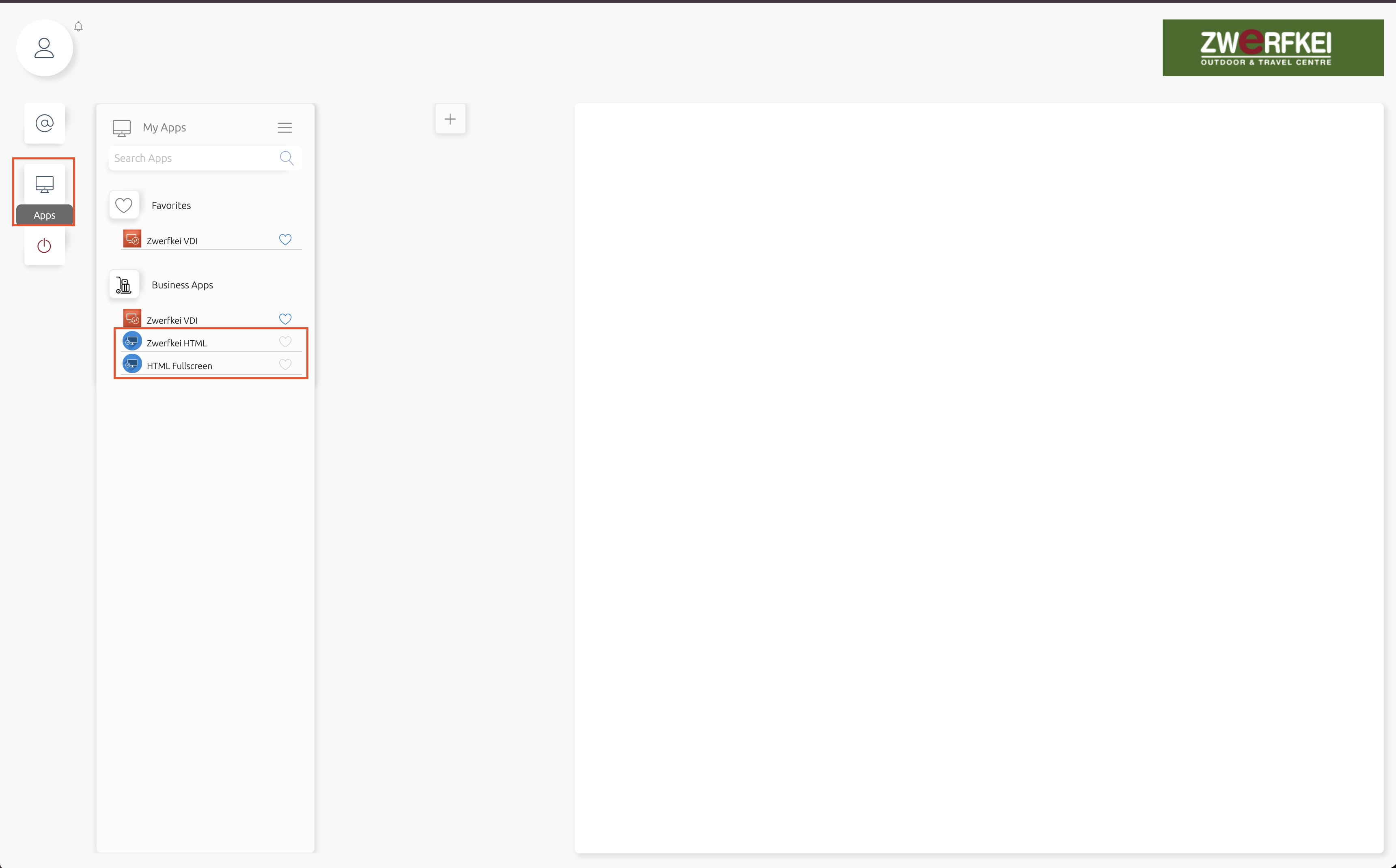
Zwerfkei HTML vs. HTML Fullscreen
Both launch the same remote desktop session. HTML Fullscreen opens without the surrounding portal chrome, giving you more usable screen space — this is the recommended option for regular use.
3. Use the remote desktop
Once the session loads, you'll see a full Windows desktop in your browser. The applications you need are available here as desktop icons — for the Zwerfkei ERP, double-click Navision Zwerfkei.
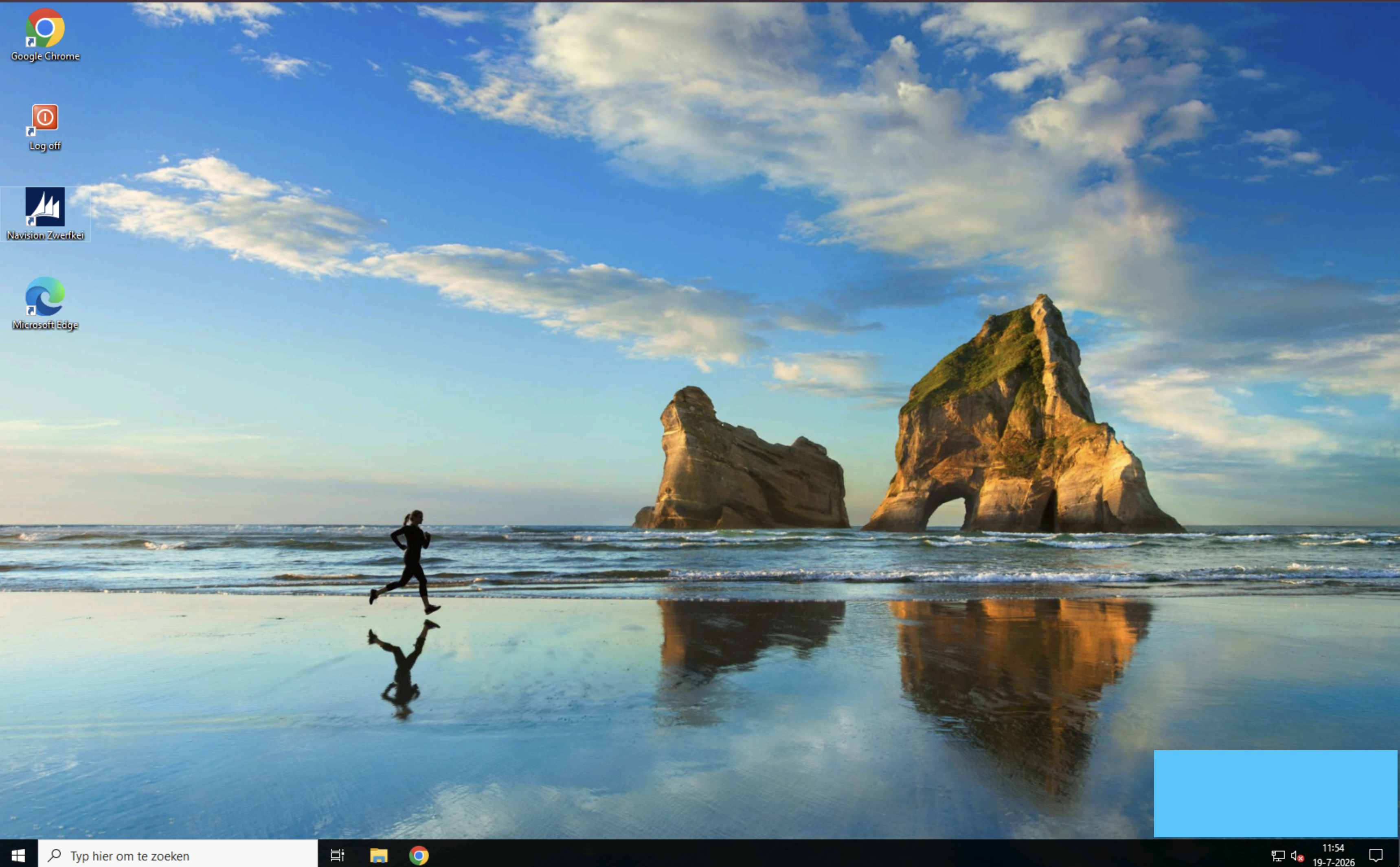
Adding screenshots
A screenshot for step 1 (Microsoft authentication login screen) is still missing. Place it in screenshots/ as 01-microsoft-login.png and reference it above, following the same pattern used for steps 2 and 3.
Next steps
-
NAV Login Procedure
Once connected to the remote desktop, continue here to log in to the Navision Zwerfkei client application.
Access & Permissions
Requesting access
Access to the Local Werkplek / Navision Zwerfkei RDP environment (Flooris account) is managed by Olaf and Thijs from Zwerfkei. Contact them to request access or additional permissions.